The 4K Product Photo Checklist for Memorial Day and Summer Sales
Small product-photo flaws can quietly reduce trust. Use this 4K checklist before Memorial Day and summer promotions go live.

Most product-photo problems are small: fuzzy labels, soft fabric weave, weak edges, or lifestyle images that collapse after cropping.
The searcher wants a checklist that turns product images into usable ecommerce assets without violating marketplace expectations or misleading buyers.
Seasonal publishing angle
This article is scheduled for the moment people are actively preparing these images, which helps it match seasonal search demand instead of chasing it late.
The decision that matters first
Product photos should clarify the item. Upscaling should make labels, texture, and edges easier to inspect, not create details that misrepresent what ships.
Quick quality read
A practical workflow
Separate hero, detail, and lifestyle jobs
Main images need recognition, detail images need texture, and lifestyle images need context.
Upscale before final crop
Use the best source first, then crop for marketplace ratios and ad placements.
Check labels and edges at 100%
Buyers zoom into ingredients, seams, engravings, and texture.
Export consistent sizes
Keep a master file, then export platform-specific derivatives.
Workflow map
Separate hero, detail, and lifestyle jobs
Main images need recognition, detail images need texture, and lifestyle images need context.
Upscale before final crop
Use the best source first, then crop for marketplace ratios and ad placements.
Check labels and edges at 100%
Buyers zoom into ingredients, seams, engravings, and texture.
Export consistent sizes
Keep a master file, then export platform-specific derivatives.
What to avoid
- Adding promotional overlays to images that need to stay clean.
- Upscaling everything to 8K when the site displays much smaller images.
- Letting mismatched aspect ratios make the shop grid look uneven.
The proof check
Product images must represent the product clearly. Accuracy, crawlable files, and buyer trust matter more than decorative editing.
Before you publish or print
Frequently asked questions
Should I always choose the largest upscale size?
No. Choose the smallest output that solves the real use case. Larger sizes are helpful for big prints and heavy crops, but they can exaggerate flaws from weak source files.
Can AI upscaling fix every blurry image?
No. It can improve many low-resolution or slightly soft images, but severe motion blur, missing faces, and heavy compression require realistic expectations.
What should I check after upscaling?
Inspect eyes, hands, text, product labels, straight edges, fabric, and any area that affects trust. If those areas hold up, the image is usually ready for its destination.
Sources and next step
Google Merchant Center and Google Images guidance both point toward clear, accurate, understandable product imagery.
Run one hero image through ImageUpscales and compare the label, edge, and texture before updating the whole catalog.
Why 4K matters more during summer sales
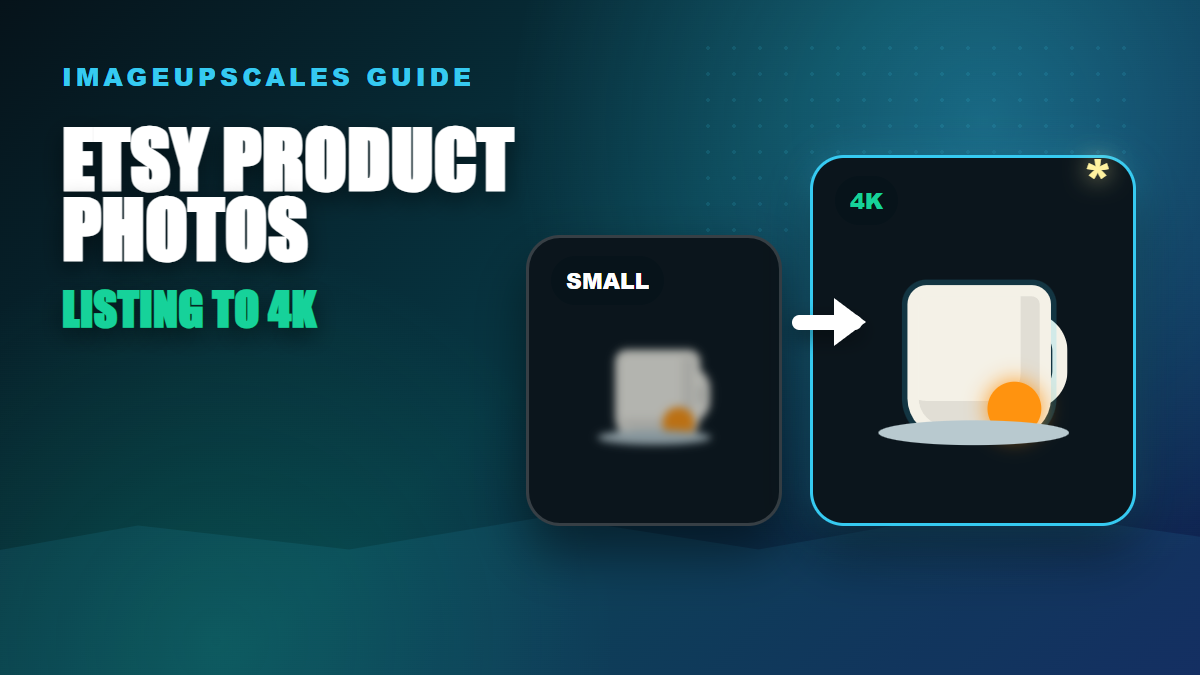
During Memorial Day, July 4th, and back-to-school sales, customers compare more aggressively. They expand product images on retina laptops and large phones. A 1500px hero on a 3x display looks soft, and softness reads as cheap before a customer even forms an opinion. 4K is not a vanity number — it is the resolution at which zoom feels honest.
Most ecommerce platforms now serve adaptive sizes, so a 4K master does not slow your store down. The CDN ships a downscaled JPEG to phones and the full file only when a shopper zooms. You get the best of both worlds: speed for browsing, sharpness for the moment of decision.
The shopper psychology behind sharp images
A shopper on a sale day is moving fast. They are skimming dozens of listings. Sharp, well-lit images create a subconscious signal that the seller is professional and the product is real. Soft images create the opposite signal — even when the product is excellent. Upscaling will not fix bad photography, but it will preserve the trust your photography already earned.
Common mistakes to avoid before a holiday push
- Over-sharpening fabric. AI upscalers can introduce a faint cross-hatch on weaves. Inspect at 100% before publishing.
- Forgetting alt text. Sale traffic includes assistive tech. Alt text also helps Google Images, which still drives meaningful product discovery.
- Mismatched white balance. If you upscale a batch shot at different times, color drift becomes obvious in a grid view. Normalize first, upscale second.
- Skipping the test print. If even one channel uses physical signage, a quick 8x10 print reveals issues a screen will hide.
A 30-minute pre-sale workflow
Pull your top ten SKUs by revenue. Run them through a 4K upscale, then audit each one for hands, edges, text, and fabric. Replace only the SKUs that visibly improve. Leave the rest. Promotions are not the moment to refresh every image — they are the moment to make sure your best sellers look their best.
Related guides from ImageUpscales
- How to Create Studio-Quality Product Images with AI
- The Role of AI in Improving Ecommerce Product Photos
- How to Unblur an Image and Bring It Back to Life with AI
Frequently asked questions
What output size should I save?
Save at least one 4K master per SKU. From that master, your platform will derive the gallery size, the zoom size, and the thumbnail. Saving smaller now means re-upscaling later when you launch on a higher-resolution channel.
Will upscaling slow my store down?
No. Modern ecommerce platforms ship adaptive sizes. Phones receive a smaller JPEG by default. The full master is delivered only when a customer zooms — and that is exactly the moment a sharp image converts.
Should I upscale every SKU before a sale?
No. Focus on your top-revenue SKUs and your sale-featured products. The rest can be upgraded over time. Sale week is for high-impact wins, not for refreshing the entire catalog.
A pre-sale punch list
- Top ten revenue SKUs upscaled to 4K.
- Sale-featured SKUs prioritized over evergreen.
- Alt text reviewed for accessibility and SEO.
- Color and white balance normalized across the grid.
- Print test for any flyer or in-store signage.